
Simulation Model and Terminal Simulation
Terminal simulation builds a working, virtual representation of terminal operations so planners can test ideas before they act. A simulation model here represents quay cranes, trucks, yard stacks, gates, and human operators. First, define TERMINAL SIMULATION as a live, interactive replica of processes at a port or container terminal. Second, treat a SIMULATION MODEL as a structured set of rules, resources, and flows that drive that replica. This distinction helps teams focus on objectives. For example, a model may include quay service rules and yard stacking policies. Then the model runs many scenarios to reveal patterns and risks.
Key processes include container handling at berth, vehicle movements across the gate and yard, and yard layout workflows. Quay operations depend on crane cycles, truck arrival patterns, and berth scheduling. Yard activity depends on stack heights, optimal stack placement, and reshuffle logic. Gate processes control check-in, customs, and intermodal transfers. Each process adds constraints and trade-offs. For instance, trying to raise crane productivity can increase yard congestion and driving distances. Loadmaster.ai uses a model-driven, agent-based approach to balance those trade-offs with RL agents that learn policies in a digital twin sandbox.
Data inputs shape model fidelity and credibility. Use historical throughput volumes, traffic patterns, and detailed crane productivity metrics. Add equipment specifications, operating speed values, and service time distributions. Include vessel arrival schedules and container throughput forecasts. One study stressed the need for “complete years of data on container throughput volumes” to apply SARIMA forecasting effectively (Assessing forecasted container throughput demand on optimal terminal design). Also, calibrate using telemetry and TOS logs so the simulated behavior matches real operations (Improving the Performance of Dry and Maritime Ports by Increasing Terminal Operating Systems efficiency). Finally, validate the model by comparing simulated outputs to observed metrics such as moves per hour, average truck turn times, and berth occupation.
Planning teams must also capture stochastic factors like weather, labor shifts, and equipment failures. Include arrival variability, handling time distributions, and maintenance windows. This helps the simulation model reproduce delays and bottleneck formation. Use discrete event modules for gate and crane events, and agent-based logic for individual container behavior. Then run sensitivity tests to see which inputs drive system performance. Use short test runs for quick insights. Use longer runs for robust capacity planning. This structured process helps terminal planners minimise surprises, validate strategies, and improve decision making across port and terminal operations.
Port Simulation Software Overview
AnyLogic stands out as a versatile choice when you need an anylogic simulation software solution for container terminals and related maritime workflows. It supports discrete event, agent-based, and system dynamics approaches in one environment. As a result, modelers can represent both resource schedules and individual container agents. AnyLogic also allows animation so stakeholders can visualise schedules, equipment utilization, and yard flows. You can link models to real-time feeds, and you can export metrics for reporting. This flexibility helps test operational rules before changing live schedules.
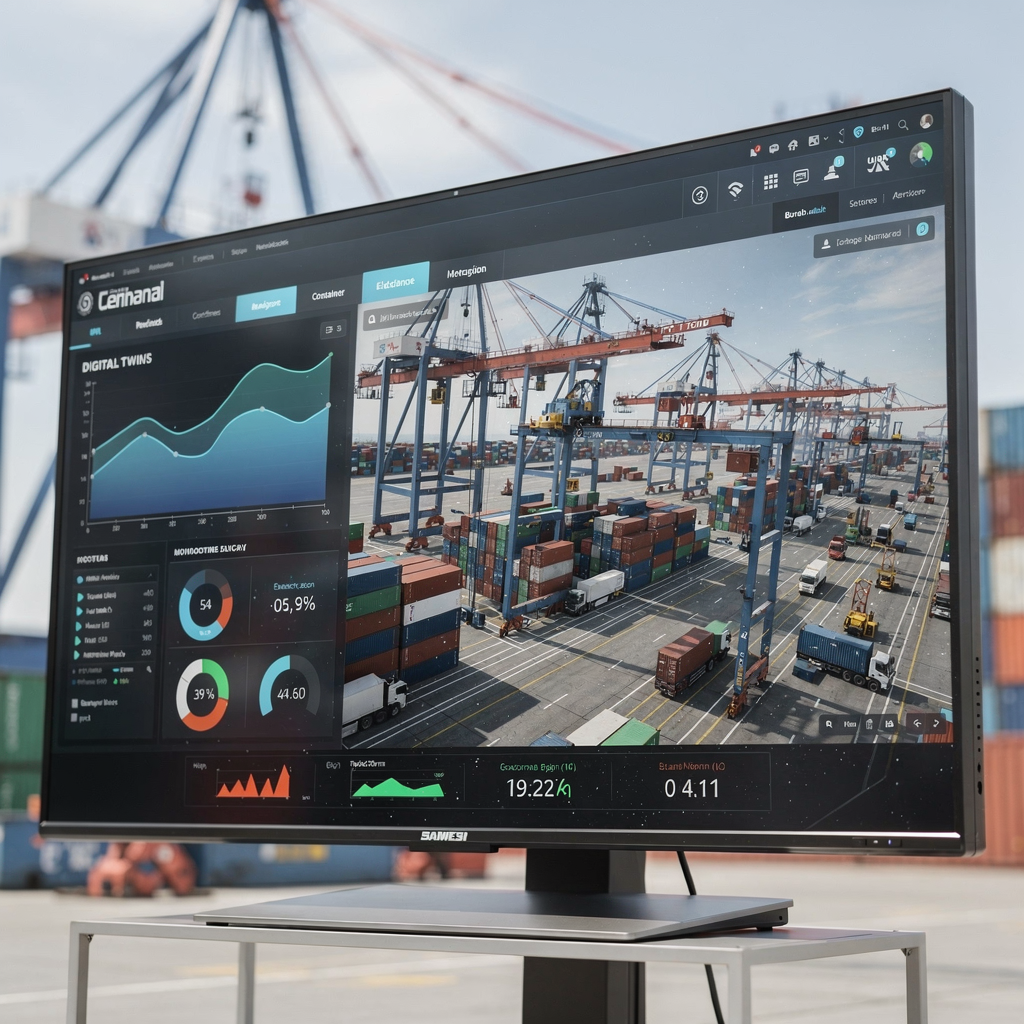
Compare AnyLogic with other simulation software and tools. Specialized tools such as AirTOP focus on passenger terminals and people flows (AirTOP Terminal). Proprietary TOS modules often provide operational control but lack flexible what-if scenario testing. Port and terminal simulation software vary in their focus. Some target discrete event planning only, while others add animation and transport network modeling. In practice, many terminals combine a TOS for execution and a separate simulation tool for planning and validation.
Core functionality in leading simulation software covers layout design, resource allocation, and scenario comparison. Layout design lets planners change quay length, stack positions, and gate lanes quickly. Resource allocation tools let teams reassign quay cranes or shift yard crane schedules and instantly see impacts on throughput and berth congestion. What-if scenario testing lets stakeholders test resilience: what happens if a crane fails, or if truck arrivals spike? Use simulation tools to analyse outcomes across many runs. Then choose the best configuration for operational goals such as vessel capacity utilization and equipment utilization.
Integrating simulation with other systems matters. Connect models to TOS telemetry, gate scanners, and fleet APIs for richer inputs. This supports digital twin deployments that reflect live terminal state. For further reading on container terminal digital transformation and testing integration patterns, see our guide to container terminal digital transformation strategies. Also, if you need a focused tool for capacity studies, check our page on container terminal simulation software which outlines practical templates and system requirements. Finally, leverage simulation services to validate new layouts before greenfield investments and automation upgrades.
Drowning in a full terminal with replans, exceptions and last-minute changes?
Discover what AI-driven planning can do for your terminal
Container Terminal Simulation and Digital Twin
Digital twin means maintaining a live copy of a container terminal that combines model logic and streaming data. A digital twin helps you track system performance and respond to events quickly. First, build a base model that represents material flows, quay resources, and yard stacks. Next, calibrate the model with historic throughput and crane productivity figures. Then add real-time data feeds from equipment telemetry and TOS APIs so the twin reflects current state. This approach turns a static model into a decision-ready digital twin.
To build a digital twin in AnyLogic, follow clear steps. Start by defining goals and system boundaries. Include quay, yard, gate, and intermodal terminals. Collect system requirements and outline which KPIs you will measure. Second, construct the simulation model using discrete event flows for trucks and vessels, and agent-based objects for individual container and equipment behavior. Third, calibrate the model against observed metrics and adjust distributions and service times. Fourth, attach real-time data feeds for live state updates and short-run re-simulations. Fifth, validate against historic peaks and known disruption cases, and then move to active monitoring.
Model calibration is essential. Use telemetry to measure crane productivity, average handling times, and truck turn times. One study shows forecasting depends on complete years of throughput history for statistically robust predictions (Assessing forecasted container throughput demand on optimal terminal design). For calibration, compare simulated quay cycles and yard crane cycles with observed data. Adjust service time distributions and equipment availability until the model reproduces real patterns. Then use the twin for scenario testing and predictive maintenance planning.
Benefits of this approach include dynamic performance tracking and early warnings of equipment stress. For ports and terminals, a digital twin can also support predictive maintenance by flagging abnormal cycle patterns or rising equipment delay rates. Loadmaster.ai leverages a digital twin to train RL agents offline so policies arrive cold-start ready and safe by design. The twin helps balance quay productivity, yard congestion, and driving distance. As a result, operators get fewer rehandles, higher crane utilization, and steadier performance across shifts. For more on capacity planning using digital twins in terminal operations, see our detailed resource on capacity planning using digital twins.
Throughput Analysis and Optimization in Terminal Simulation Software
Use simulation software to measure terminal throughput and to identify root causes of delays and bottleneck formation. Run experiments that vary ship arrival patterns, berth assignments, and yard allocation rules. Then capture throughput metrics such as moves per hour, average truck turnaround, and berth occupancy. These outputs show where to direct improvement efforts.
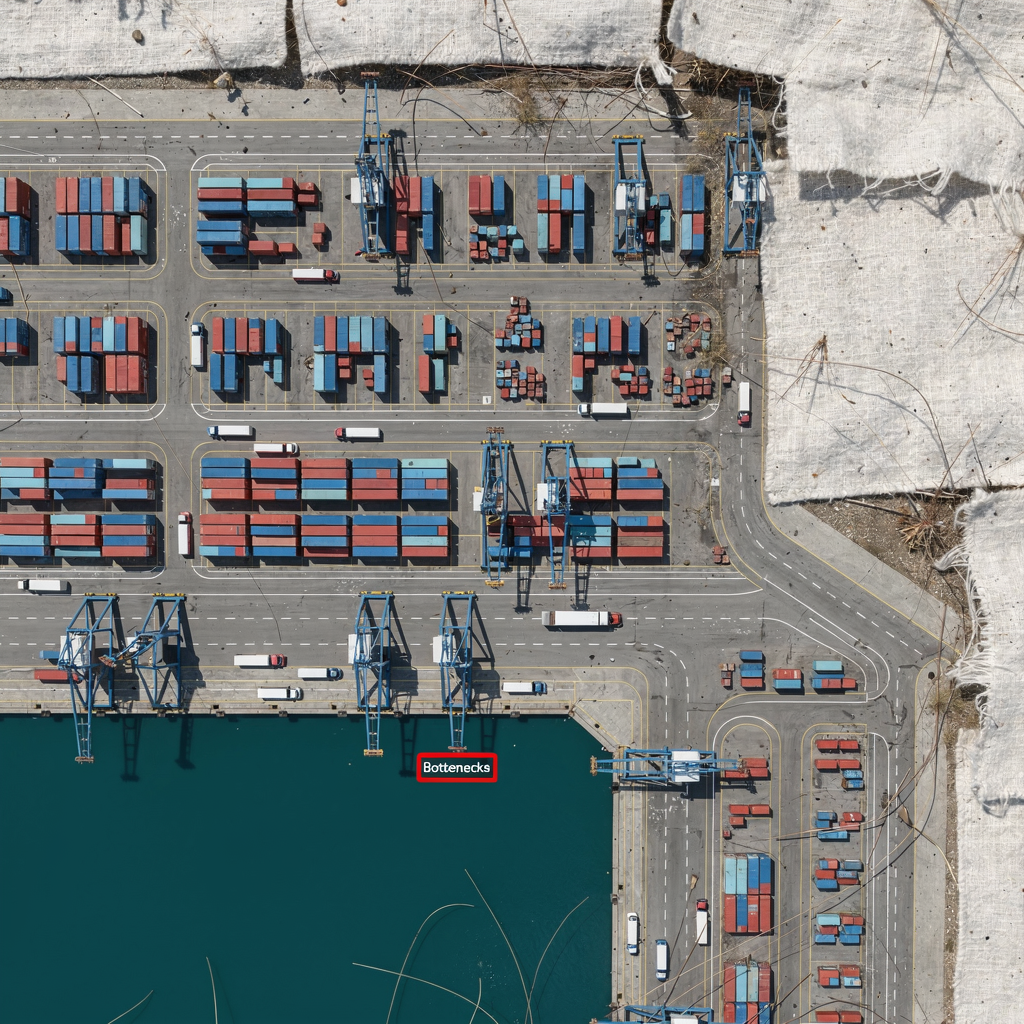
Analyse quay wall operations, yard crane cycles, and gate queue dynamics. Quay performance depends on crane productivity and vessel stow plans. Use simulation to test different stow strategies and to gauge vessel capacity utilization under varied conditions. One decision support study used simulation to build robust gate plans that preserved port resilience during disruptions (A decision support system for maintaining a resilient port). Yard crane cycles and stack heights determine driving distances and rehandles. Adjusting stack heights and slot allocation can reduce reshuffles and unnecessary moves.
Apply quantitative forecasting like SARIMA for demand estimates. Then combine those forecasts with simulation-based optimization to improve allocation. The literature notes that complete throughput histories help SARIMA forecasts, which then feed capacity scenarios (Assessing forecasted container throughput demand). Use forecasts to size quay and yard resources. Next, use simulation to test layout adjustments, shifts in crane hours, and different gate staffing patterns. Also, introduce multi-objective optimization so you can balance moves per hour against energy use and rehandle rates. Loadmaster.ai adds closed-loop optimization by training StowAI, StackAI, and JobAI in the twin. These agents learn policies that reduce rehandles and improve equipment utilization without requiring historical labels.
Practical steps to optimize include reducing wait time at gate, rebalancing stack loads to create the optimal stack pattern, and smoothing crane assignments across vessels. Measure outcomes across many runs to account for variability. Then select the strategy that consistently delivers better throughput capacity and lower delay risk. Use short, frequent runs to iterate, and longer runs to validate seasonal plans. Finally, document system performance and validate changes in live operations using controlled pilots that mirror simulation conditions. For more on equipment planning and operational risk, see our pages on container terminal equipment planning and operational risk assessment in port operations.
Drowning in a full terminal with replans, exceptions and last-minute changes?
Discover what AI-driven planning can do for your terminal
Case Studies in Container Terminal and Port Model Optimization
Case studies show how simulation drives measurable gains. For example, studies of Rotterdam and regional terminals used throughput volumes and expert interviews to forecast growth and support planning decisions (Forecasting the Growth of Container Transport in Rotterdam). Those exercises combined quantitative trends with simulation to test berth allocation and yard expansion options. In many cases simulation suggested more modest infrastructure changes plus revised operational rules provided most benefit before capital spend.
Another example comes from research that modelled transshipment dynamics under external shocks. The authors concluded that “accurate forecasting of container throughput is vital for efficient port management,” and that simulation helps test resilience under disruption (University of Southampton Research Repository). In practice, model calibration and careful scenario definition mattered most. Teams that calibrated models to crane productivity and stack cycle times could reproduce congestion patterns and propose effective mitigations.
Outcomes reported in case studies often include throughput increases and berth delay reductions. For instance, changing quay crane assignments and optimizing stow sequences can raise moves per hour by double-digit percentages in simulations, while reducing berth waiting times. Similarly, yard reshuffle policies that aim for an optimal stack and balanced stack heights reduce rehandles and lower operating cost. Lessons learned include the need to validate models continuously and to keep human planners in the loop as the terminal operator adopts automated controls.
Model calibration is always iterative. Start with TOS exports and telemetry, then validate against a few busy weeks of operations. Next, run targeted experiments to address the worst bottleneck. Use both forecast-driven plans and disruption scenarios. Finally, deploy changes via controlled pilots. For practitioners who want to explore discrete event testbeds, see our resource on discrete event simulation for container terminals. These case studies and tools show how simulation helps terminals improve port efficiency while minimising capital expense.
Future Trends in Port Simulation Software and Optimization
AI and machine learning will tighten the loop between models and live operations. Hybrid systems that combine digital twin simulation with RL agents are becoming common. These agents learn from simulated millions of decisions and then suggest policies under operational guardrails. This trend helps terminals respond to changing vessel mixes, variable traffic, and unexpected disruptions.
Cloud-based simulation platforms will enable larger what-if spaces and faster iteration. Teams will run more scenarios in parallel, and they will test extreme events without risk. Also, expect tighter IoT integration so that the digital twin ingests live equipment utilization and sensor readings. That will enable real-time validation and continuous model refinement. The result will be better predictions of maintenance needs and fewer surprise delays.
Hybrid approaches will also pair optimization with human oversight. Terminal planning will retain human controllers who approve or adjust AI-suggested plans. That balance helps terminals remain compliant and safe while gaining optimization benefits. For practical guidance on balancing automation and oversight, consult our article on balancing automation and human oversight. Loadmaster.ai builds multi-agent architectures that remain TOS-agnostic and safe by design so teams can adopt automation incrementally.
Best practices for next-generation terminal performance include maintaining a validated digital twin, training AI agents in a sandbox before deployment, and monitoring system performance with clear KPIs. Also, use simulation tools to validate greenfield layouts and to test intermodal flows involving rail and truck. Finally, keep planners involved so the AI augments their expertise rather than replaces it. By following these practices terminals will increase resilience, reduce rehandles, and improve crane productivity while stabilising service across shifts.
FAQ
What is terminal simulation and why does it matter?
Terminal simulation creates a virtual copy of terminal operations to test strategies before real changes occur. It matters because it reduces risk and helps planners optimise resource allocation, berth schedules, and yard layouts.
How does a simulation model differ from a digital twin?
A simulation model is a static or scenario-driven representation used for experiments. A digital twin adds live data feeds and continuous calibration so it reflects current terminal state and supports live decision making.
Can AnyLogic integrate with my TOS?
Yes, AnyLogic supports API and data exchange patterns to connect with a TOS for richer inputs and outputs. Many terminals link simulation models to TOS telemetry to validate plans and measure expected improvements.
How do you measure terminal throughput in simulation?
Measure throughput by counting container moves per hour, truck turn times, and berth occupation over defined intervals. Run multiple scenarios to capture variability and to estimate throughput capacity under different resource mixes.
What kind of data do I need to build a credible model?
Collect historical throughput volumes, crane productivity, arrival patterns, service time distributions, and equipment specifications. Use telemetry and TOS logs for calibration, and include seasonal or stochastic factors to capture variability.
How can simulation help reduce bottleneck formation?
Simulation highlights where queues and delays form by reproducing flows and resource contention. Then you can test targeted changes such as stack reallocation, gate staffing shifts, or crane reassignment to see which fix removes the bottleneck.
What role does forecasting play in throughput planning?
Forecasting like SARIMA provides demand estimates that feed capacity plans. Use forecasts to size resources and to run simulation-based tests for layout and staffing adjustments that match expected container throughput.
Is it possible to simulate rare disruptions such as port-wide delays?
Yes, simulation and digital twin systems let you inject rare events such as equipment failures or sudden schedule shifts. Running these disruption scenarios helps you prepare contingency plans and measure resilience.
How do reinforcement learning agents work with simulation?
Reinforcement learning agents train inside a simulation or digital twin by exploring decision space and learning policies that improve KPIs. After training, agents can suggest or automate actions in the live terminal with safety constraints in place.
Where can I learn more about implementing these tools?
Explore practical guides and tools on simulation services and digital twin deployments. Start with resources on container terminal simulation software and equipment planning to map out system requirements and pilot steps.
our products
 stowAI
 stackAI
 jobAI
jobAI
Innovates vessel planning. Faster rotation time of ships, increased flexibility towards shipping lines and customers.
Build the stack in the most efficient way. Increase moves per hour by reducing shifters and increase crane efficiency.
Get the most out of your equipment. Increase moves per hour by minimising waste and delays.
stowAI
Innovates vessel planning. Faster rotation time of ships, increased flexibility towards shipping lines and customers.
stackAI
Build the stack in the most efficient way. Increase moves per hour by reducing shifters and increase crane efficiency.
jobAI
Get the most out of your equipment. Increase moves per hour by minimising waste and delays.