
cloud-based vs on-premise: TOS deployment model overview
A Terminal Operating System (TOS) manages vessel planning, yard management and gate control in container terminals. It ties together planning, equipment control and operational reporting. Ports use a TOS to sequence vessel calls, allocate yard blocks and control trucks at gates. The choice of deployment model changes how teams access that functionality. A cloud-based TOS runs on remote infrastructure and is hosted in the cloud by a cloud provider. An on-site installation installs software on local on-premise servers inside a port data center. The cloud-based vs on-premise debate is about trade-offs in cost, control and speed of deployment.
Cloud adoption for TOS has grown rapidly. For example, industry data shows a roughly 35% annual increase in cloud-based TOS deployments between 2020 and 2025. That statistic helps explain why ports and terminal operators study cloud systems carefully. At the same time, many terminals keep on-premise setups because they give full control and predictable performance. Surveys report that around 60% of major ports still rely on on-premise systems, notably where national rules demand local data handling or stricter on-premise governance.
When you compare cloud and on-site options you must inspect the deployment model closely. A hosted option can deliver fast rollout and frequent software updates. An on-premise approach requires on-premise servers and more lead time for hardware and software licenses. The key differences also include integration points, remote access patterns and who is responsible for managing backups. If you want a focused view on yard capacity and TOS integration, see a practical discussion of predictive yard planning and how a TOS ties into yard models here. This comparison sets the stage for deciding which architecture matches your terminal operations and business needs.
cloud computing and saas: cloud solutions for port terminal operations
Software as a service, or saas, is the delivery method behind most cloud-based solutions. In a SaaS approach the TOS provider hosts the software in a multi-tenant public cloud environment and you access it over the internet. Major cloud providers run data center locations that support elastic compute and storage. These cloud service providers handle patching, scaling and many security layers, and they provide predictable subscription billing. Cloud-based systems may reduce setup time and let terminals start small and scale quickly when volumes rise.
The advantages are straightforward and measurable. Cloud solutions offer real-time collaboration across shipping lines, customs and drayage companies. They reduce upfront capital expenses and convert those costs into monthly or annual OPEX. In practice, ports report up to a 40% reduction in upfront IT expenditure compared to traditional on-premise deployments when they choose cloud-based applications. The subscription model also simplifies software upgrades. A cloud provider pushes software updates and security fixes so you do not schedule large upgrade windows.
Integration with external systems matters. Cloud solutions offer APIs and webhook patterns that let you integrate with ERP, TMS and WMS systems and even AI agents that automate email workflows. For terminals seeking optimized equipment dispatch, consider solutions that support real-time equipment dispatch optimization and link TOS events to crane or yard controllers here. When you evaluate cloud infrastructure check SLAs, access management features and how the provider isolates tenant data in public cloud environments.
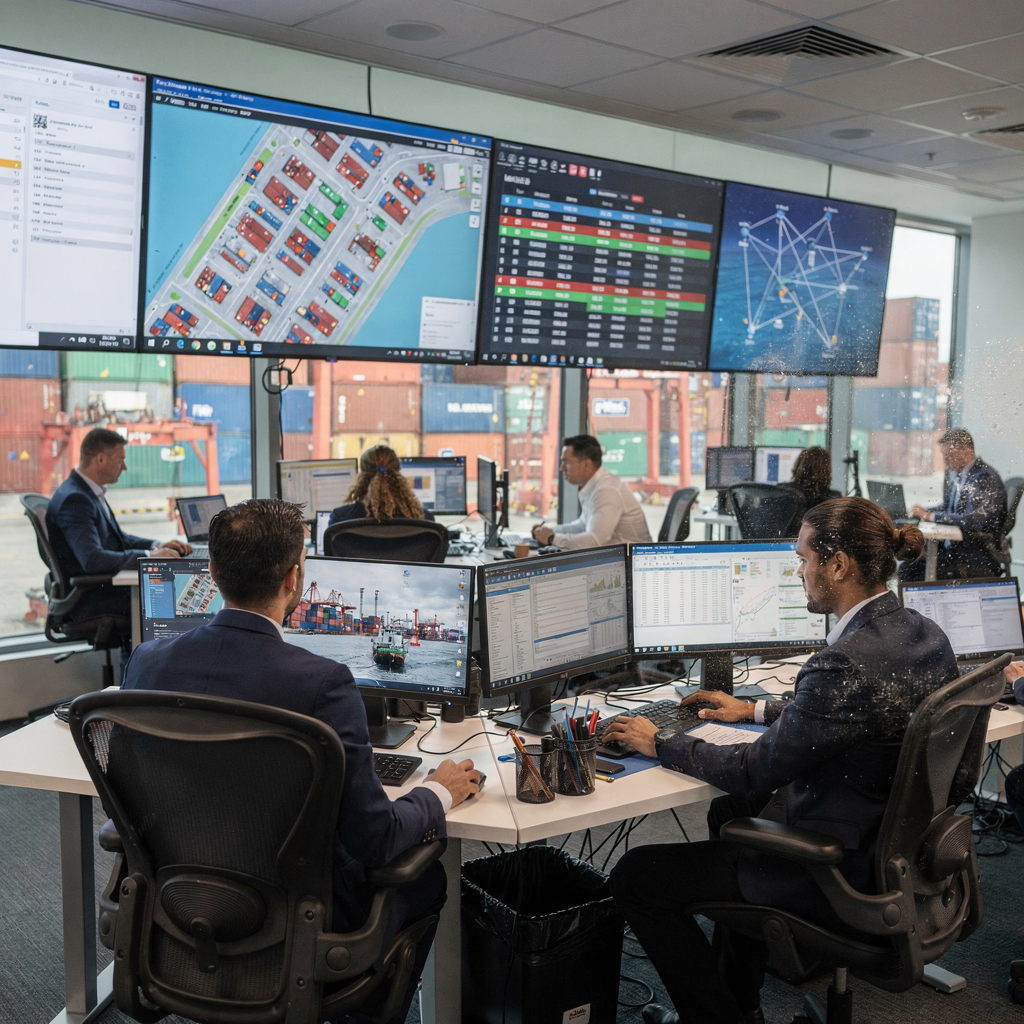
Drowning in a full terminal with replans, exceptions and last-minute changes?
Discover what AI-driven planning can do for your terminal
on-premise software and solutions: server control, compliance and security
An on-premise system installs the TOS on servers that sit inside the port’s network. Ports that select an on-premise approach often want complete control over data and the security stack. They host databases in a local data center and configure network controls to meet local law. This full control over your data appeals to organizations with strict national requirements. On-premise systems typically: permit deeper customization and let a terminal tailor logic to unique handling constraints. That flexibility can be critical for highly bespoke terminal operations.
Compliance drives many on-premise choices. When regulations require local data residency or specific operational audit trails, terminals choose on-premise to ensure they meet compliance and sovereignty rules. For example, defense and certain national ports continue to require on-site solutions to satisfy procurement clauses and national security requirements. The cost is higher upfront. You must buy on-premise servers, buy software licenses and provision skilled IT staff to run the setup. You also pay ongoing costs for power, cooling and hardware refresh cycles.
Reliability is another reason terminals keep an on-premise deployment. Local servers can operate independently of the internet, and that independence helps terminals maintain operations if a WAN link degrades. On-premise software supports deep integrations with local PLCs and bespoke equipment controllers. On the flip side, on-premise solutions require regular software updates and security measures that your team must perform. If your team lacks senior security engineers, consider hybrid patterns or vendor-managed on-premise offerings to reduce risk while keeping full control. Discover how yard planning software or vessel planning modules can coexist with on-premise systems in mixed environments by reading about vessel planning and port-stay reduction strategies here.
key differences in management software: cloud vs on-premise performance and costs
Comparing CAPEX and OPEX clarifies the finances. With an on-premise deployment you face CAPEX for hardware, software licenses and a local data center footprint. You also need headcount to operate the servers and run backups. By contrast, cloud-based offerings shift much of that cost into OPEX. Subscriptions cover software as a service and operational support from a cloud provider. This change can smooth budgets and free capital for operational projects.
Scalability is another major point. Cloud systems are designed to be elastic, so they can provide additional compute and storage when a terminal hits peak volumes. This scalable capacity avoids expensive hardware procurement cycles. By contrast, on-premise capacity is fixed by the physical infrastructure that you own. If volumes jump, you must provision more on-premise servers or accept degraded performance. Those trade-offs shape your deployment choices and long-term planning.
Maintenance responsibilities differ. Cloud providers are responsible for patching, monitoring and platform-level resilience in hosted services. In an on-premise model your IT team is responsible for OS patches, hardware replacements and software updates. Some organizations prefer that control because it gives complete control over the timing and contents of upgrades. Other teams prefer to let a cloud provider manage those tasks so internal staff can focus on terminal processes and integration work.
Reliability depends on design. Cloud providers publish uptime commitments in SLAs and invest heavily in redundancy across data center regions. On-premise servers can be highly resilient when designed properly, but they require investment in redundancy and disaster recovery. The right decision balances cost savings, control over security and the operational risk profile of the terminal. These key differences help you choose the right management software path and make an informed decision about long-term TOS strategy.
Drowning in a full terminal with replans, exceptions and last-minute changes?
Discover what AI-driven planning can do for your terminal
cloud-based and on-premise solutions: software solution scalability and reliability
Scalability metrics matter when container volumes spike. A cloud provider can allocate additional compute to keep the TOS responsive during rush periods. That means a scalable architecture can handle peak container volumes without physical hardware purchases. Conversely, on-premise infrastructure requires planning for peak loads and may include spare on-premise servers as a buffer. This buffer raises costs, and it is one reason many terminals prefer elastic cloud systems.
Reliability is measured differently in each model. Cloud SLAs commonly guarantee high availability and specify uptime for services. You should compare SLA targets and penalties when evaluating providers. At the same time, local servers offer deterministic performance when the network is reliable, and they can isolate critical functions behind private networks. The trade-off is that on-premise servers require dedicated DR plans and routine validation of failover procedures.
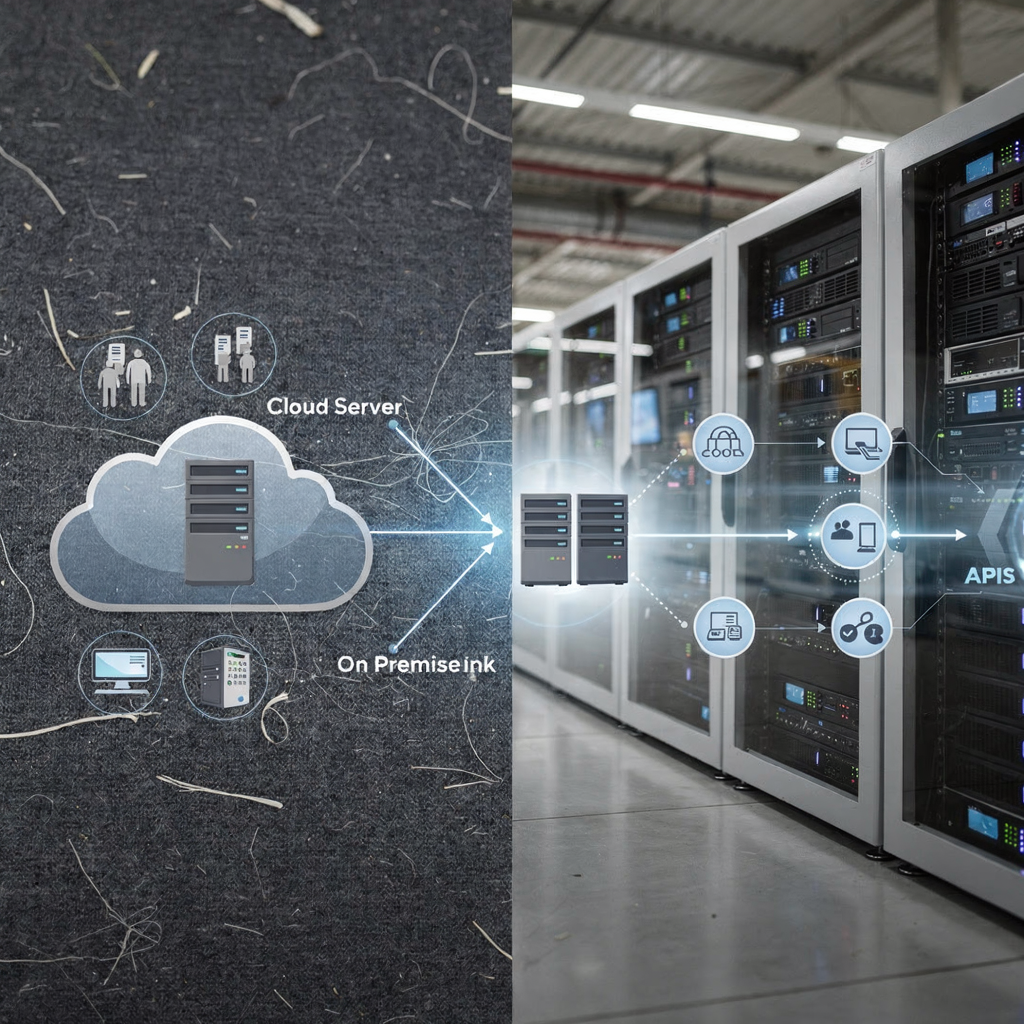
Hybrid architectures combine the best of both worlds. You can host core real-time control functions on on-premise servers while replicating data and analytics workloads to a public cloud. This approach keeps low-latency control close to cranes and gates and pushes heavy analytics to the cloud. Hybrid patterns also let terminals experiment with cloud-based applications and then scale up. For example, a TOS provider might offer cloud-based applications for container planning while maintaining an on-premise module for gate control.
When you design a hybrid plan, consider integration complexity and access management. Ensure secure links between the on-premise network and cloud infrastructure and define who is responsible for managing firewall rules and identity providers. This integration can shorten response times and let operations focus on exceptions and higher-value tasks.
cloud and on-premise: choosing between cloud-based and on-premise for optimal deployment
Choosing between cloud-based and on-premise requires a clear assessment of scale, compliance and existing infrastructure. First, map your terminal size and peak traffic characteristics. Small to mid-size terminals may benefit from cloud-based solutions and their scalable cost structure. Large terminals with complex bespoke integration needs may prefer traditional on-premise deployments to retain full control. In many cases the right choice is a phased migration or a hybrid mix that aligns with growth plans.
Second, factor in compliance obligations. If your operations fall under strict national data residency rules or defense procurement clauses, an on-premise system may be necessary. If not, cloud systems can accelerate innovation and support collaboration with partners. For terminals that need both, hybrid architectures allow sensitive streams to remain local while less sensitive analytics are hosted in the cloud. This layered approach helps satisfy auditors and operations teams alike.
Third, model finance and resourcing. Compare upfront costs for on-premise infrastructure against subscription pricing for cloud-based solutions. Consider software licenses, support contracts and the human cost of maintaining servers. You should also test integration with mission-critical modules like yard planning and crane workload distribution. For more technical context on crane scheduling and workload distribution, see a technical review of crane planning approaches here.
Finally, choose a migration strategy. A phased migration can move non-critical functions to hosted environments first, and then expand. This reduces risk and preserves operational continuity. You can also pilot cloud-based applications for analytics and then decide whether to extend them into core control functions. When assessing vendors, ask how they support both deployment patterns and whether their tos provider can document both security measures and DR plans. That diligence helps you choose the best path and make an informed decision aligned to your terminal’s long-term roadmap.
FAQ
What is a TOS and why does deployment model matter?
A Terminal Operating System (TOS) controls vessel planning, yard stacking and gate operations. The deployment model matters because it affects cost, control, scalability and integration with other systems.
How fast are cloud-based TOS deployments growing?
Cloud-based TOS deployments grew rapidly from 2020 to 2025, with an estimated 35% annual increase according to industry reports SourceForge. That trend reflects interest in subscription models and faster rollouts.
Are on-premise systems more secure than cloud-based systems?
On-premise systems can offer full control over sensitive data and customized security measures. However, major cloud providers invest heavily in security and publish controls, so security depends on architecture and operational practice as ENISA notes.
What are common cost differences between models?
On-premise requires larger upfront capital for servers and licenses, while cloud-based models convert that spend to subscription OPEX. Many organizations report up to 40% lower upfront spend with cloud solutions when they compare lifecycle costs.
Can terminals mix cloud and on-premise deployments?
Yes. Hybrid architectures let terminals host low-latency control locally and run analytics in the cloud. This approach balances control, cost and scalability while supporting phased migration strategies.
How does compliance influence deployment choice?
Compliance and data sovereignty rules often drive terminals to choose on-site solutions. If regulation requires local data residency, an on-premise setup may be necessary to meet auditors and procurement terms DFARS guidance.
What should I ask a TOS provider during evaluation?
Ask about SLAs, uptime commitments, who is responsible for software updates and how the provider protects data. Also ask how the TOS integrates with ERP, TMS and yard planning modules and whether they support hybrid deployment.
Automation tools can connect to either cloud or on-premise TOS systems via APIs and reduce manual email triage. They improve response speed and free operations to focus on exceptions rather than repetitive tasks.
What are the pros and cons of cloud vs on premise for small terminals?
Cloud-based solutions lower upfront cost and speed deployment for small terminals. On-premise may offer greater control and performance predictability but requires more capital and IT staff.
How do I choose the right TOS deployment for my terminal?
Assess traffic peaks, existing on-premise infrastructure and compliance needs, and then decide whether phased migration, hybrid deployment or full on-premise is right. Use pilot projects and measurable KPIs to validate the choice and to make an informed decision.
our products
 stowAI
 stackAI
 jobAI
jobAI
Innovates vessel planning. Faster rotation time of ships, increased flexibility towards shipping lines and customers.
Build the stack in the most efficient way. Increase moves per hour by reducing shifters and increase crane efficiency.
Get the most out of your equipment. Increase moves per hour by minimising waste and delays.
stowAI
Innovates vessel planning. Faster rotation time of ships, increased flexibility towards shipping lines and customers.
stackAI
Build the stack in the most efficient way. Increase moves per hour by reducing shifters and increase crane efficiency.
jobAI
Get the most out of your equipment. Increase moves per hour by minimising waste and delays.