
Role of Data in Container Terminal Migration
First, define the role of data as the foundation that drives every decision in a container terminal. Also, data consistency matters because it impacts yard moves, gate throughput, berth planning and vessel schedules. The role of data becomes obvious when a terminal attempts a TOS upgrade. For clarity, data consistency means accuracy, reliability and uniformity of records across systems. This definition helps teams set clear goals for a migration process. Data integrity matters here because mismatched container states can cause misplaced cargo and safety risks. A Gartner-style estimate shows poor data quality creates large costs for organisations; in ports that effect becomes acute when operations halt. You can review an industry security and data study as context here.
Next, list the critical TOS modules that require focus. Yard management manages container locations and stacking. Vessel planning defines crane work and stowage. Gate operations control in/out flows and customs handoffs. Also, terminal operating systems must keep consistent data between those modules to maintain real-time visibility and avoid bottleneck risks. A survey found that 68% of terminals experienced data issues during TOS migrations and 45% reported delays of more than 12 hours; this reinforces the critical role of structured data checks (IAPH survey).
Then, set objectives for a migration that will succeed. First, ensure correct mapping of container identifiers, moves and statuses. Second, ensure synchronization of transactional feeds from systems like ERP and warehouse management. Third, ensure that the team can reconcile any discrepancies fast. Also, prioritize access controls and encryption when you transfer source data. This focus helps protect sensitive manifests and customs records while you migrate. In short, the role of data is to keep day-to-day operations running. Therefore, teams must ensure a seamless transition that preserves accuracy and completeness across TOS platforms.
Preparing Legacy Systems for Data Migration in TOS Platforms
First, start with a detailed data assessment of legacy systems. Also, identify stale records, duplicate entries and mismatched schemas. Next, perform data cleansing to remove or correct flawed records. This step improves the quality of initial data that will be moved. A strong data migration strategy must begin with source data profiling and data cleansing. Teams should run automated scripts and manual reviews in parallel to validate fixes. Additionally, ensure encryption and tight access controls during these operations to meet regulatory and security needs.
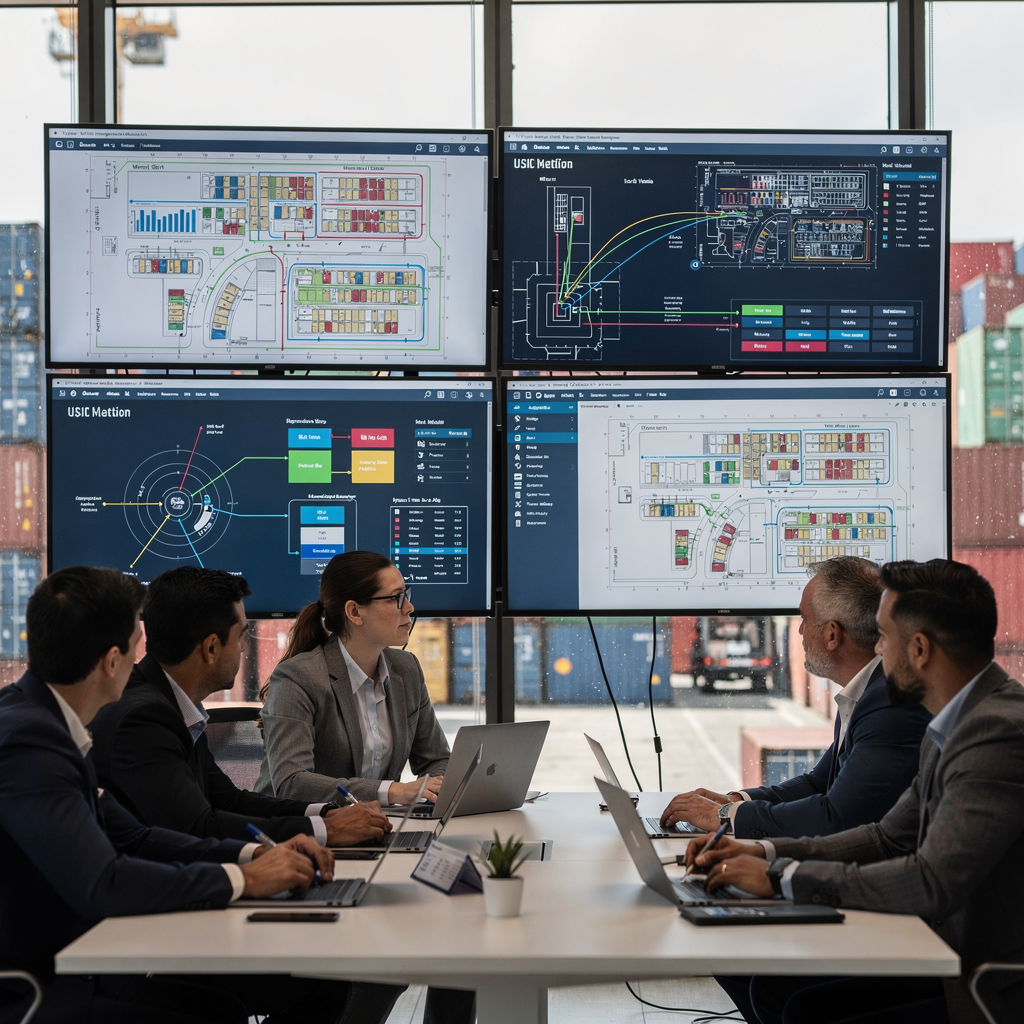
Then, map and transform schemas from the old system to the new TOS platforms. Use clear transformation rules for fields like container ID, event timestamps and yard location. Also, document business rules that change behavior between systems. This documentation helps the integration engineers and business users align expectations. Next, leverage incremental replication tools to limit scope and risk. Incremental replication moves only changes from the source system and reduces the window of impact. Additionally, change data capture and ETL pipelines can move initial data and then keep updated records in near real-time.
Also, begin migrating data in staged waves. First wave: static master data. Second wave: transactional records for active containers. Third wave: archival and historical records. This phased approach helps test the mapping and transformation logic without overwhelming the new TOS. Meanwhile, maintain a plan to run old and new systems concurrently so teams can compare outputs. Finally, ensure that stakeholders know the rollback criteria and that the team can revert to the old system quickly if needed. This preparation reduces disruption while you migrate legacy systems.
Drowning in a full terminal with replans, exceptions and last-minute changes?
Discover what AI-driven planning can do for your terminal
Key Steps for Integration of Modern Container TOS Platforms
First, design a clear integration architecture that suits your terminal needs. Also, include APIs, middleware and ETL layers that enable seamless communication between systems like ERP, WMS and port community systems. This architecture must support real-time data flows and batch updates. Next, choose whether to use point-to-point APIs or a middleware bus. Also, consider cloud adoption for scalable integration that supports peak cargo volumes. Cloud-based yard optimisation solutions can be a good model for elastic workloads and predictable performance; learn more about cloud yard options here.
Then, select replication methods that match your risk profile. Dual-running and change data capture both work well. Dual-running lets you compare outputs from old and new systems. Change data capture moves only the changes and reduces load on networks. Also, ensure data synchronization across message queues, database replication and API calls. This helps maintain consistent data and avoids split-brain scenarios. For planning and emulation of workflows, terminal teams often use port emulation tools and predictive analytics. A planning emulator can validate complex vessel schedules and yard moves before production; see a planning emulator example here.
Next, test end-to-end workflows with simulated terminal operations. Run gate captures, container moves, vessel work and customs handoffs in a test environment. Also, validate that systems like quay crane scheduling and yard optimisation behave as expected in peak conditions. Use detailed test scripts and include thorough testing for edge cases like split loads and mixed stowages. Additionally, check integration with supporting systems such as ERPs and WMS to ensure smooth data exchange. Finally, train users on the new processes and the operational screens so they can adapt rapidly when you go-live.
Ensuring Data Consistency during Cutover Processes
First, plan validation and reconciliation to ensure data consistency as the cutover approaches. Also, implement automated validation checks and generate reconciliation reports that compare container state, location and ownership across systems. For critical operations, run simple summary checks and deep record-level comparisons. Additionally, use checksum methods and row counts to quickly surface mismatches. This approach helps detect problems early and reduces the chance of data corruption.
Then, run old and new systems in parallel to compare outputs. This dual-running stage gives operators confidence. Also, reconcile gate events, yard moves and vessel plans across both systems. A successful cutover includes a planned cutover window and a cutover strategy that limits operational exposure. Choose a cutover window that keeps downtime low. Industry benchmarks show that carefully executed plans can reduce downtime to under four hours versus uncontrolled outages that may last days (industry report). This metric supports tight scheduling for the final switch.
Next, prepare rollback procedures to the legacy systems if critical errors occur. Also, ensure you can re-point data feeds back to the source system within the cutover window. This preparedness helps minimize disruption to cargo flows and customs authorities’ handoffs. Additionally, employ automation to validate final record counts and to flag any missing or corrupted migrated data. One unique practice is to create a read-only snapshot of the source system at cutover time so teams can validate completeness. Finally, ensure teams perform post-cutover checks for completeness, performance and data synchronization. This increases operational confidence and helps resolve residual issues swiftly.
Drowning in a full terminal with replans, exceptions and last-minute changes?
Discover what AI-driven planning can do for your terminal
Cutover Planning for Terminal Operating Systems
First, build a cutover plan that describes every step, role and approval for the go-live. Also, define the cutover window carefully to minimize downtime and exposure. Targets should aim to minimize downtime and, where possible, meet industry best-practice windows under four hours. Next, compare phased versus big bang approaches and choose by risk profile. A phased cutover moves functional modules gradually and reduces immediate risk. A big bang approach switches all modules at once and can be faster but riskier. Choose the path that matches your terminal’s traffic, cargo volumes and resource skills.
Then, coordinate teams across IT, operations and third-party logistics partners. Also, involve shipping lines, customs authorities and equipment vendors in the runbook. This stakeholder coordination reduces surprises during the cutover and helps manage escalation. Additionally, plan communications channels for real-time updates so teams can act fast if a bottleneck or disruption appears. This automation reduces noise and focuses attention on what matters most during a go-live.
Next, allocate clear roles for deployment, testing, rollback and post-cutover validation. Also, build contingency scenarios and assign triggers for rollback. Ensure you have enough spare capacity in your on-premises and cloud resources during the switch. Additionally, prepare user-training and knowledge-transfer sessions to reduce operator errors during the early hours after go-live. Finally, record all changes made during the cutover for audits and for future problem-solving. This practice supports regulatory needs and improves subsequent migration projects.
Post-Cutover Optimisation in a Container Terminal
First, perform post-migration audits and incident analysis to ensure systems behave as intended. Also, run reconciliation reports that compare migrated data to live operations. This step will validate accuracy and completeness and help teams spot residual discrepancies. Next, tune system performance by adjusting indexing, query plans and integration throttles. These adjustments improve operational performance and reduce the chance of delays during peak shifts.
Then, establish continuous monitoring and reporting that supports real-time visibility into yard moves, gate queues and berth schedules. Also, create alerts for anomalies such as sudden spikes in empty moves or prolonged dwell times. This real-time data helps teams prioritize work and address bottleneck issues fast. Additionally, leverage predictive analytics and AI-driven scheduling for ongoing optimisation. For more on predictive approaches that improve yard congestion and scheduling, explore predictive analytics in port operations here.
Next, focus on data governance to sustain consistent data quality. Also, implement processes that validate new records as they enter the system. This includes access controls and transaction-level checks that ensure data integrity. Moreover, establish a continuous improvement loop with user feedback and periodic audits. Finally, prioritise user training and support so changes stick and day-to-day operations adapt smoothly. This ongoing cycle makes the TOS an enabler of operational efficiency and helps the terminal maintain throughput as cargo volumes evolve.
FAQ
What is the most critical role of data during a TOS migration?
Data serves as the authoritative source for container state, location and ownership across yard, gate and vessel systems. Also, consistent data avoids misplaced cargo and prevents schedule disruptions that can quickly cascade.
How do you prepare legacy systems for a migration?
Begin with a data assessment and data cleansing to fix duplicates and stale records. Next, map schemas and run incremental replication so you can test transforms before you migrate the full dataset.
What integration architecture works best for modern container terminals?
An architecture that combines APIs, middleware and ETL with change data capture balances flexibility and performance. Also, cloud adoption for scalable integration helps manage peak cargo volumes and reduces risk.
How can terminals ensure data consistency during cutover?
Use automated validation checks and reconciliation reports to compare old and new system outputs. Also, run old and new systems in parallel to confirm record-level alignment and to detect discrepancies early.
What is the difference between phased and big bang cutover strategies?
A phased cutover migrates modules gradually to lower immediate risk and simplify troubleshooting. A big bang switches all components at once to shorten the migration window, but it raises the stakes if errors occur.
How do you minimize downtime during a cutover?
Plan a tight cutover window and use incremental replication before the final switch. Also, ensure clear rollback procedures so you can revert quickly if a critical error appears, and thus minimize downtime.
What role does testing play in a successful migration?
Thorough testing validates workflows, integrations and edge cases before go-live. Also, simulated terminal operations reveal bottlenecks and confirm the accuracy and completeness of migrated data.
How should terminals handle post-cutover issues?
Perform post-migration audits and incident analysis to find root causes and to resolve discrepancies. Also, tune system performance, update rules and continue user training to stabilise operations.
Can automation help during cutover and after go-live?
Yes. Automation reduces manual tasks such as email triage and escalations during the cutover period.
What metrics should terminals monitor after migration?
Track gate throughput, yard dwell times, crane productivity and reconciliation error rates to measure operational performance. Also, monitor data synchronization and anomaly alerts to sustain real-time visibility and to address issues fast.
our products
 stowAI
 stackAI
 jobAI
jobAI
Innovates vessel planning. Faster rotation time of ships, increased flexibility towards shipping lines and customers.
Build the stack in the most efficient way. Increase moves per hour by reducing shifters and increase crane efficiency.
Get the most out of your equipment. Increase moves per hour by minimising waste and delays.
stowAI
Innovates vessel planning. Faster rotation time of ships, increased flexibility towards shipping lines and customers.
stackAI
Build the stack in the most efficient way. Increase moves per hour by reducing shifters and increase crane efficiency.
jobAI
Get the most out of your equipment. Increase moves per hour by minimising waste and delays.